
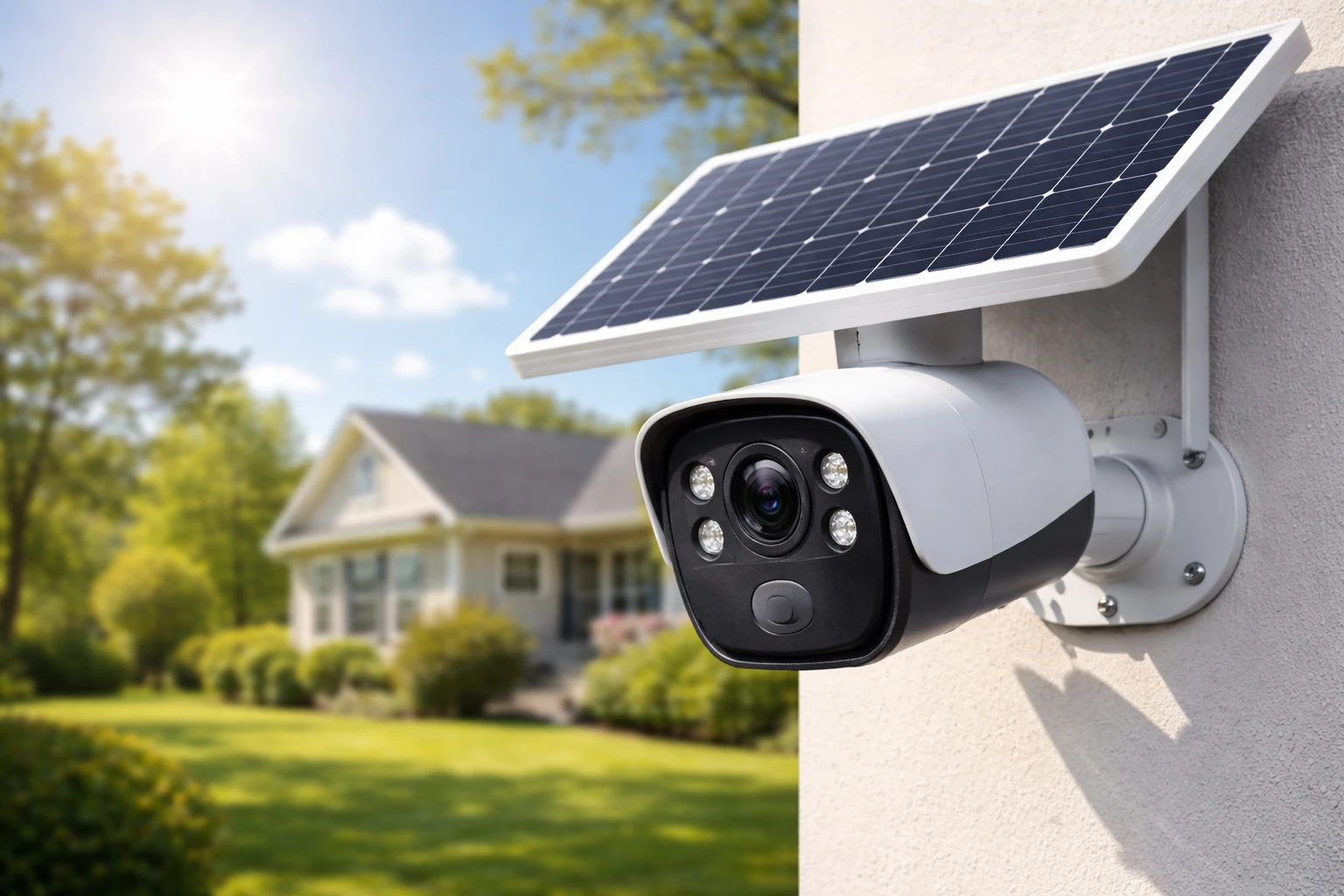
Security used to mean wires, drilling, and complicated setups. Not anymore. How solar security cameras work is a question more homeowners are asking as they look for smarter, cleaner, and more flexible ways to protect their property.
I’ve seen the shift firsthand. People want security that works anywhere—without tearing into walls or relying on constant power. That’s where solar-powered cameras step in. They’re efficient, surprisingly powerful, and built for real-world conditions.
In this guide, I’ll break down exactly how solar security cameras work, step by step. No fluff. Just clear explanations, practical tips, and insights you can actually use.
What Is a Solar Security Camera?
Definition and Core Concept
A solar security camera is a surveillance device powered by sunlight. Instead of connecting to your home’s electrical system, it uses a solar panel to generate energy and a battery to store it.
Simple idea. Powerful impact.
Unlike traditional systems, these cameras don’t depend on wiring. That means you can install them almost anywhere—front yard, farm, warehouse, even remote land.
Key Components of a Solar Security Camera
To understand how solar security cameras work, you need to know what’s inside the system:
- Solar Panel – Captures sunlight and converts it into electricity
- Rechargeable Battery – Stores energy for use day and night
- Camera Unit – Records video and detects motion
- Connectivity Module – Wi-Fi or cellular for data transmission
- Mounting Hardware – Keeps everything positioned correctly
Each part plays a role. Miss one, and the system doesn’t perform as expected.
How Solar Security Cameras Work (Step-by-Step Breakdown)
Let’s get into the mechanics. This is where things get interesting.
Step 1: Solar Energy Collection
The solar panel absorbs sunlight during the day. It doesn’t need blazing heat—just light.
However, performance depends on:
- Direct sunlight exposure
- Angle of the panel
- Seasonal changes
- Obstructions like trees or roofs
Even partial sunlight can generate power, but consistency matters more than intensity.
Step 2: Energy Conversion and Storage
Once sunlight hits the panel, it’s converted into electricity. That energy is then stored in a rechargeable battery.
Think of the battery as your safety net. It keeps the camera running:
- At night
- During cloudy days
- When sunlight is inconsistent
Most systems are designed to store enough energy for several days of operation.
Step 3: Power Distribution to the Camera
The stored energy is distributed to the camera system as needed.
Smart power management kicks in here. Modern cameras don’t run at full power all the time. Instead, they:
- Stay in low-power standby mode
- Activate when motion is detected
- Optimize energy use automatically
This is a big part of how solar security cameras work efficiently without draining the battery.
Step 4: Motion Detection and Recording
Solar cameras are built to be selective.
They don’t record everything. They record what matters.
There are two main detection systems:
- PIR (Passive Infrared) – Detects body heat
- AI Detection – Identifies people, vehicles, or animals
Once triggered, the camera:
- Starts recording
- Sends an alert to your phone
- Stores the footage
Fast. Efficient. No wasted energy.
Step 5: Data Transmission
Recording is only useful if you can access it.
Solar cameras send data through:
- Wi-Fi – Best for homes with strong internet
- Cellular (4G/5G) – Ideal for remote areas
Storage options include:
- Cloud storage
- Local SD card
Your choice depends on budget, privacy, and accessibility needs.
Step 6: Night Vision and Low-Light Operation
Solar cameras don’t sleep at night.
They switch to night mode using:
- Infrared LEDs for black-and-white clarity
- Color night vision using built-in spotlights
The energy for this comes from the battery. That’s why efficient charging during the day is critical.
Types of Solar Security Cameras
Not all solar cameras are built the same.
Wireless Solar Cameras
- Completely wire-free
- Easy to install
- Ideal for most homeowners
Solar Cameras with Separate Panels
- Flexible placement
- Panel can be positioned for maximum sunlight
Solar Cameras with Built-in Panels
- Compact design
- Best for simple installations
Cellular Solar Cameras (4G/5G)
- No Wi-Fi required
- Perfect for farms, construction sites, and remote properties
Key Features That Make Solar Cameras Work Efficiently
Understanding how solar security cameras work also means knowing what features matter most.
Battery Capacity and Backup Power
Battery size determines how long your camera runs without sunlight.
| Battery Capacity | Typical Backup Time |
| 5,000 mAh | 1–2 days |
| 10,000 mAh | 3–5 days |
| 15,000+ mAh | 5–7+ days |
Bigger isn’t always better—but it gives you peace of mind.
Motion Detection Technology
Look for smart detection. It reduces false alerts and saves energy.
Video Quality and Resolution
- 1080p – Standard clarity
- 2K – Sharper details
- 4K – Maximum clarity
Higher resolution uses more power. Balance is key.
Weather Resistance
Outdoor cameras must handle the elements.
- IP65 – Dust-tight, water-resistant
- IP67 – Stronger water protection
Storage Options
- Cloud: Easy access, monthly fees
- SD Card: No subscription, limited capacity
Pros and Cons of Solar Security Cameras
Advantages
- No wiring required
- Easy installation
- Works in remote areas
- Lower long-term costs
- Environmentally friendly
Disadvantages
- Dependent on sunlight
- Limited continuous recording
- Battery maintenance required
Solar vs Wired Security Cameras (Quick Comparison)
| Feature | Solar Cameras | Wired Cameras |
| Installation | Easy | Complex |
| Power Source | Sunlight + Battery | Electrical wiring |
| Flexibility | High | Limited |
| Maintenance | Low | Moderate |
| Reliability | Weather-dependent | Consistent |
Where Solar Security Cameras Work Best
Residential Homes
Front doors. Backyards. Driveways. Anywhere with sunlight.
Remote Locations
Farms, cabins, construction sites—places where wiring is impractical.
Businesses and Warehouses
Perimeter monitoring without infrastructure upgrades.
How to Install a Solar Security Camera (Practical Guide)
Choosing the Right Location
Placement makes or breaks performance.
Focus on:
- Direct sunlight exposure
- Clear line of sight
- Height (8–10 feet recommended)
Mounting the Solar Panel
Angle the panel toward the sun. Adjust seasonally if possible.
Connecting to Wi-Fi or Cellular Network
Follow the app setup. It usually takes less than 10 minutes.
Testing and Optimization
Check:
- Motion detection accuracy
- Signal strength
- Charging performance
Adjust as needed.
Common Problems and How Solar Cameras Handle Them
What Happens on Cloudy or Rainy Days
The battery takes over. A well-sized battery can last several days without sunlight.
Low Battery Issues
Most cameras switch to power-saving mode:
- Reduced recording length
- Fewer alerts
Connectivity Drops
Cellular models or signal boosters can solve this.
Maintenance Tips to Keep Solar Cameras Working
Keep it simple. Stay consistent.
- Clean the solar panel monthly
- Check battery performance
- Update firmware regularly
- Adjust panel angles seasonally
A little effort goes a long way.
Cost Breakdown: Are Solar Security Cameras Worth It?
Upfront Costs
Typically higher than basic wired cameras.
Long-Term Savings
No electricity costs. Minimal installation expenses.
ROI Compared to Wired Systems
Over time, solar systems often come out ahead—especially in remote setups.
Best Practices to Maximize Solar Camera Performance
Want better results? Focus on the basics.
- Install in full sunlight whenever possible
- Avoid shaded areas
- Use motion-triggered recording
- Monitor battery levels regularly
These small adjustments can significantly improve performance.
Future of Solar Security Cameras
Technology is evolving fast.
Expect:
- Smarter AI detection
- Longer-lasting batteries
- Better integration with smart homes
The gap between solar and traditional systems is shrinking quickly.
Final Thoughts: Is a Solar Security Camera Right for You?
So, how solar security cameras work isn’t complicated—but optimizing them takes a bit of strategy.
If you want flexibility, easy installation, and long-term savings, they’re a strong choice. Especially for areas where running power is difficult.
But they’re not perfect. Sunlight matters. Placement matters more.
Get those right, and you’ll have a system that quietly does its job—day after day, night after night.
And honestly? That’s exactly what good security should do.
FAQs
They use solar panels to generate power, store it in batteries, and run the camera system without needing wired electricity.
Yes, they rely on stored battery power and use night vision technology to record in low-light conditions.
The camera runs on its battery backup, which can typically last a few days depending on usage and capacity.
Most use Wi-Fi, but some models have cellular connectivity for areas without internet access.
Around 4–6 hours of direct sunlight is usually enough to keep the battery charged.
Most are designed for motion-based recording to save power, though some offer limited continuous recording.
Yes, most are built with weather-resistant ratings like IP65 or higher to handle outdoor conditions.
They typically last 3–5 years before needing replacement, depending on usage and environmental factors.
Yes, they are generally quick to install since they don’t require wiring or complex setup.
They are a great option for flexible, low-maintenance security, especially in areas where wiring is difficult.